ALL IN ONE
Showing posts with label Analog Design. Show all posts

24 July 2007

VLSI (Very Large Scale Integration)
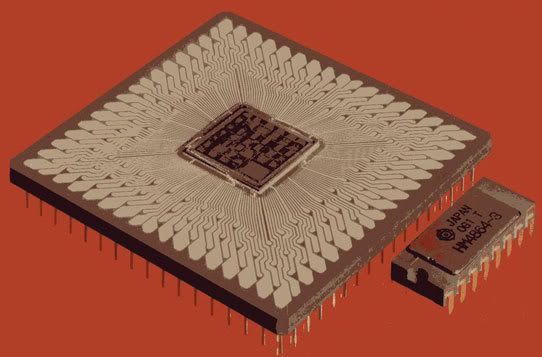
1. VLSI: Very-large-scale integration (VLSI) is the process of creating integrated circuits by combining thousands of transistor-based circuits into a single chip. VLSI began in the 1970s when complex semiconductor and communication technologies were being developed. The microprocessor is a VLSI device. The term is no longer as common as it once was, as chips have increased in complexity into the hundreds of millions of transistors. The links below are useful to know more about VLSI design.

VLSI System Design Lecture Slides
VLSI Circuit Design Lecture Slides

Microelectronic Devices and circuits Lecture notes
CAD for VLSI

2. ASIC ( Application Specific Integrated Circuit): A Chip that is customized for a particular use, rather than intended for general-purpose use such as a microprocessor. The use of ASICs improve performance over general-purpose CPUs, because ASICs are "hardwired" to do a specific job and do not incur the overhead of fetching and interpreting stored instructions. However, a standard cell ASIC may include one or more microprocessor cores and embedded software, in which case, it may be referred to as a "system on a chip" (SoC).

A full custom ASIC chip is the most costly, and like standard cell ASICs, use a custom-designed mask for every layer in the chip. Unlike standard cells, designers of a full custom device have total control over the size of every transistor forming every logic gate, so they can "fine tune" each gate for optimum performance. Thus, a full custom ASIC performs electronic operations as fast as it is possible to do so, providing that the circuit design is efficiently architected.

To know more visit the link below.

ASIC Design Flow Tutorial
Analog Design - For Analog design visit this site

3. Verilog: Verilog is a hardware description language (HDL) used to model electronic systems. The language (sometimes called Verilog HDL) supports the design, verification, and implementation of analog, digital, and mixed-signal circuits at various levels of abstraction.

The designers of Verilog wanted a language with syntax similar to the C programming language so that it would be familiar to engineers and readily accepted. The language is case-sensitive, has a preprocessor like C, and the major control flow keywords, such as "if" and "while", are similar. The formatting mechanism in the printing routines and language operators and their precedence are also similar.

The link below has tutorial for verilog. Go through it to gain some knowledge on verilog programming.

Verilog Tutorial

4. SystemVerilog is a combined Hardware Description Language and Hardware Verification Language based on extensions to Verilog. The link below consists of tutorials for learning SystemVerilog.

SystemVerilog Tutorial

5. SystemC is often thought of as a hardware description language like VHDL and Verilog, but is more aptly described as a system description language, since it exhibits its real power during transaction-level modeling and behavioral modeling. SystemC is a set of library routines and macros implemented in C++, which makes it possible to simulate concurrent processes, each described by ordinary C++ syntax. The link below has tutorials for learning SystemC.

SystemC Tutorial

6. Specman: It is an EDA tool for functional verification of digital system / integrated circuit design, usually in RTL. Verification engineers implement verification environments using e, the first commercial Aspect-oriented programming language. e is currently a proprietary language of Cadence. Specman was originally created by Verisity, which has since been bought by Cadence.
Below are the tutorial links for learning Specman.
Specman Tutorial
Specman Verification

15 June 2007

Electronics

1. ATA (Advanced Technology Attachment) is the official name that American National Standards Institute group X3T10 uses for what the computer industry calls Integrated Drive Electronics (IDE). The link below gives a clear idea about the ATA.
Advanced Technology Attachment(ATA)

2. To know about IDE controllers and their working principles go through the link below

IDE Controllers

3. Hard Disk: A hard disk drive (HDD), commonly referred to as a hard drive or hard disk, is a non-volatile storage device which stores digitally encoded data on rapidly rotating platters with magnetic surfaces. For detailed information visit the link below.

Hard Disk Drive (HDD)

4. RAM (Random Access Memory): Random access memory (usually known by its acronym, RAM) is a type of data storage used in computers. It takes the form of integrated circuits that allow the stored data to be accessed in any order — that is, at random and without the physical movement of the storage medium or a physical reading head.
To know more about the importance of RAM and its working go through the links below.

How RAM Works
Importance of RAM Size
Different Memory Types
Choose the best RAM for your Motherboard -- Enter your motherboard specifications and find out which RAM will be best for your system.

5. Flash Memory: It is non-volatile computer memory that can be electrically erased and reprogrammed. It is a technology that is primarily used in memory cards, USB flash drives (thumb drives, handy drive, memory stick, flash stick, jump drive), which are used for general storage and transfer of data between computers and other digital products. It is a specific type of EEPROM that is erased and programmed in large blocks; in early flash the entire chip had to be erased at once. Flash memory costs far less than byte-programmable EEPROM and therefore has become the dominant technology wherever a significant amount of non-volatile, solid-state storage is needed. Examples of applications include PDAs and laptop computers, digital audio players, digital cameras and mobile phones. It has also gained some popularity in the game console market, where it is often used instead of EEPROMs or battery-powered static RAM (SRAM) for game save data.
Go through the link below to know more about flash memory.

More about Flash Memory
Types of Memory Cards
All About Memory Cards

6. Graphics Card: Video or graphics circuitry, usually fitted to a card but sometimes found on the motherboard itself, is responsible for creating the picture displayed by a monitor. On early text-based PCs this was a fairly mundane task. However, the advent of graphical operating systems dramatically increased the amount of information needing to be displayed to levels where it was impractical for it to be handled by the main processor. The solution was to off-load the handling of all screen activity to a more intelligent generation of graphics card.
To know how graphics cards work visit the link below.

How Graphics Cards Work

7. Facts of Basic Electronics

Please visit the above link for very good articles on basic electronis stuff which we come across in our day to day life.


Custom Search